Aim

Pfw The Big Shoulder Couture

Stellar Cathcer

Pokemon Memory Time

My Baby Unicorn Pony Care 2

Ant Color Blast


Boat Attack

Ellies Recipe: Dubai Chocolate Bar

Screw Sort Puzzle Pin Jam 3d

Buildup 3d
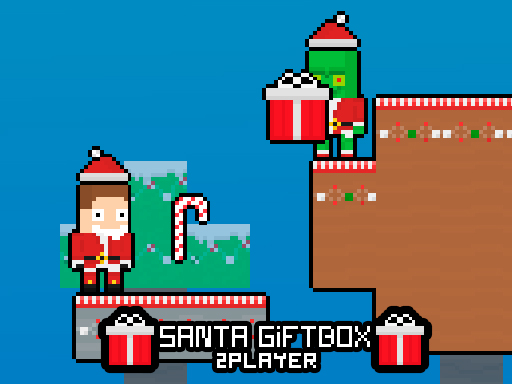
Santa Giftbox 2 Player

Night Racing
1) Can You Keep Your Foot Down When the Sirens Start Neon reflections on wet asphalt, a straight road begging for boost, and flashing lights creeping up in the mirror. Night Racing is built for that exact moment where you’re flying through the city and one mistake could hand the lead to the police or a rival. Gamepix - Free Online Games | Play Now! 2) The Night-City Mood The game leans hard into late-night street racing energy: bright signage, sharp corner lighting, and long city lanes that make speed feel bigger than it is. Because everything happens after dark, visibility and timing matter more, especially when you approach corners at full pace and need to set your line early. Gamepix - Free Online Games | Play Now! 3) Missions Instead of Endless Driving You are not just looping a track for no reason. Night Racing pushes you through missions, and completing them is how you move forward. The mission structure gives each run a purpose: clear objectives, pressure to finish cleanly, and a steady reason to improve rather than drifting around randomly. Gamepix - Free Online Games | Play Now! 4) Drifting Is Your Real Weapon This game wants you to drift, not only because it looks cool, but because it’s the fastest way to survive tight turns without bleeding speed. The trick is keeping the car stable during the slide so you exit the corner pointed straight, ready to accelerate again. When you start linking clean corner exits, your times drop quickly and the city feels more like a flowing route than a series of obstacles. Gamepix - Free Online Games | Play Now! 5) Police Pressure Changes How You Drive Police chases add a constant push to stay aggressive. If you hesitate, the chase becomes a problem you feel immediately because the game expects you to outpace them and keep moving. That pressure makes the best strategy surprisingly simple: drive smooth, do not overcorrect, and save your boost for moments where you can actually convert it into distance. Gamepix - Free Online Games | Play Now! 6) Upgrades and New Cars Actually Matter Progress is tied to unlocking upgrades and cars, so performance improves as you complete missions. This creates a satisfying cycle: you finish objectives, earn access to better tools, then return faster and more controlled. It also encourages experimenting with handling styles, because some cars feel better for stable lines while others suit aggressive corner entries. Gamepix - Free Online Games | Play Now! 7) Controls Night Racing keeps controls familiar so you can focus on racing lines instead of memorizing inputs. Gamepix - Free Online Games | Play Now! Drive: Arrow keys or WASD Nitro boost: Spacebar 8) Small Habits That Cut Your Times Use nitro with intent. Boosting mid-corner usually wastes speed because you are not pointed where you want to go. Save it for clean straights or right after a drift exit when the car is stable. On turns, aim for one clean slide rather than multiple corrections. If you feel the rear end snapping too hard, ease off the steering slightly and let the car settle before pushing again. The game rewards drivers who look calm, even when the pace feels wild. Gamepix - Free Online Games | Play Now! 9) Who Night Racing Fits Best Night Racing is a strong pick for players who like street-racing atmosphere, quick mission-based progression, and the satisfying rhythm of drifting through a neon city under pressure. If you enjoy chasing cleaner runs, unlocking better rides, and staying just ahead of relentless pursuit, this one hits that fast, focused racing loop.
W - accelerate S - brake reverse A - steer left D - steer right Space - handbrake F - nitro available from the 3rd car M - enlarge map L K - control lights I - start stop the engine C - switch camera Mouse - camera rotation ESC TAB - menu

So many more games you can play!
More games
 Home
Home
 Trending Games
 Categories
 Arcade
  .IO
.IO  3D
3D  Action
  Adventure
  Shooting
  Racing
  Girl
Girl  Puzzle